
Amourly logo Get the app
Amourly vs Locket

Amourly vs Locket: for your friends, or for your person?

Locket puts quick photos from up to 20 close friends on your Home Screen, and it's brilliant at that. Amourly is built just for couples: your partner's photos land on your widget too, along with their notes, mood and drawings, and the moments you want to keep go into a shared journal and map.

Last checked · Written by the Amourly team

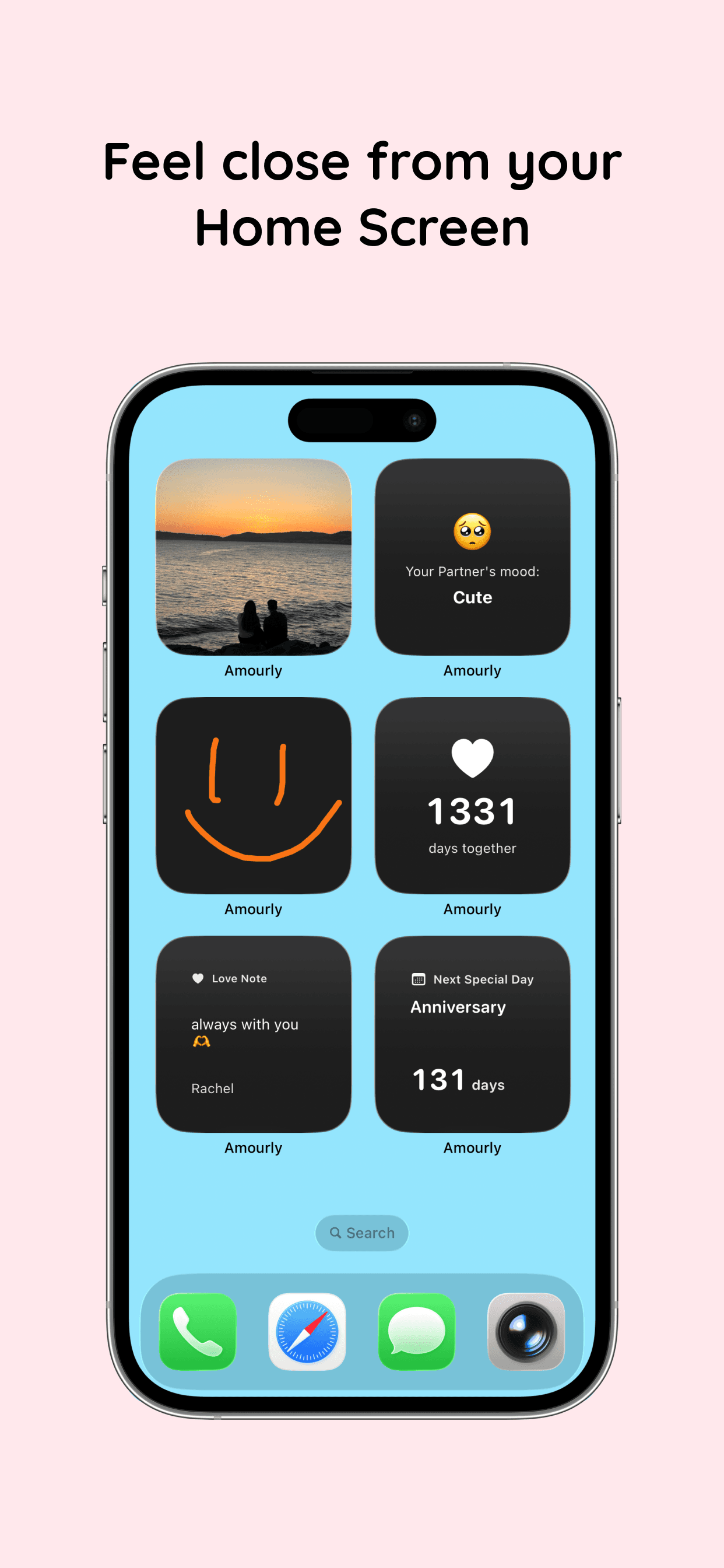
Amourly couple widgets with a partner's photo and love note on an iPhone Home Screen
Photo from us · on your Home Screen
The short answer

Great for friends. Built for two?

Locket is about seeing your close circle. Amourly is about one person, with more ways to reach them than a photo.

Choose Locket if…

  • You want to share photos with a group of close friends.
  • Photos are all you need.
  • Your friends already use Locket.
  • One of you uses Android.

Choose Amourly if…

  • You want a space just for you and your partner.
  • You want notes, moods and drawings on your widget, not just photos.
  • You want reminders for anniversaries and special days.
  • You want a journal and map of your memories.
Side by side

Amourly vs Locket, feature by feature.

Features and prices as listed on each app's App Store page and website, checked October 15, 2026. Prices are US list prices and can vary by country or promotion.
FeatureAmourlyLocket
Built aroundSmall daily moments: notes, taps, moods, photos, drawingsPhotos from friends on your Home Screen
Made forCouples only — a private space for twoEdgeClose friends (up to 20), not couples specifically
Photo sharingSnaps that land on your partner's Home Screen; 24-hour storiesYes — photos land on friends' Home Screen widget
Love notes & messagesLove notes with text, a photo or a drawing; repliesEdgeNot a focus
Mood sharing42 moods plus custom moods (Pro), shown on widgetsEdgeNot a core feature
iPhone widgets7 widgets for Home Screen & Lock Screen: notes, mood, photo, drawing, days together, next special dayPhoto widget, including one for a single person
Shared memoriesShared journal of memories with photos, date and placePhoto history and monthly recaps
Anniversaries & countdownsSpecial days with reminders and a days-together counterEdgeNot offered
ChatNo chat feed — notes, replies, taps and moodsReactions and chatEdge
PlatformsiPhoneiPhone, AndroidEdge
Free versionFree: 7 journal entries, 7 love notes, 3 taps a day, 1 story a day, core widgetsCore photo widget is freeEdge
Premium price (US)$9.99/month or $44.99/yearOptional Locket Gold subscription
One subscription for both partners?Yes — one Pro plan covers both partnersEdgeNo — individual subscriptions
What actually differs

Where Amourly and Locket really differ.

Can you use Locket as a couples app?

Yes, and Locket even started as a gift from its founder to his girlfriend. You can set a widget for one person. But it's designed for a circle of friends, so there's nothing couple-specific: no love notes, special days or shared journal.
What does Amourly add beyond photos?

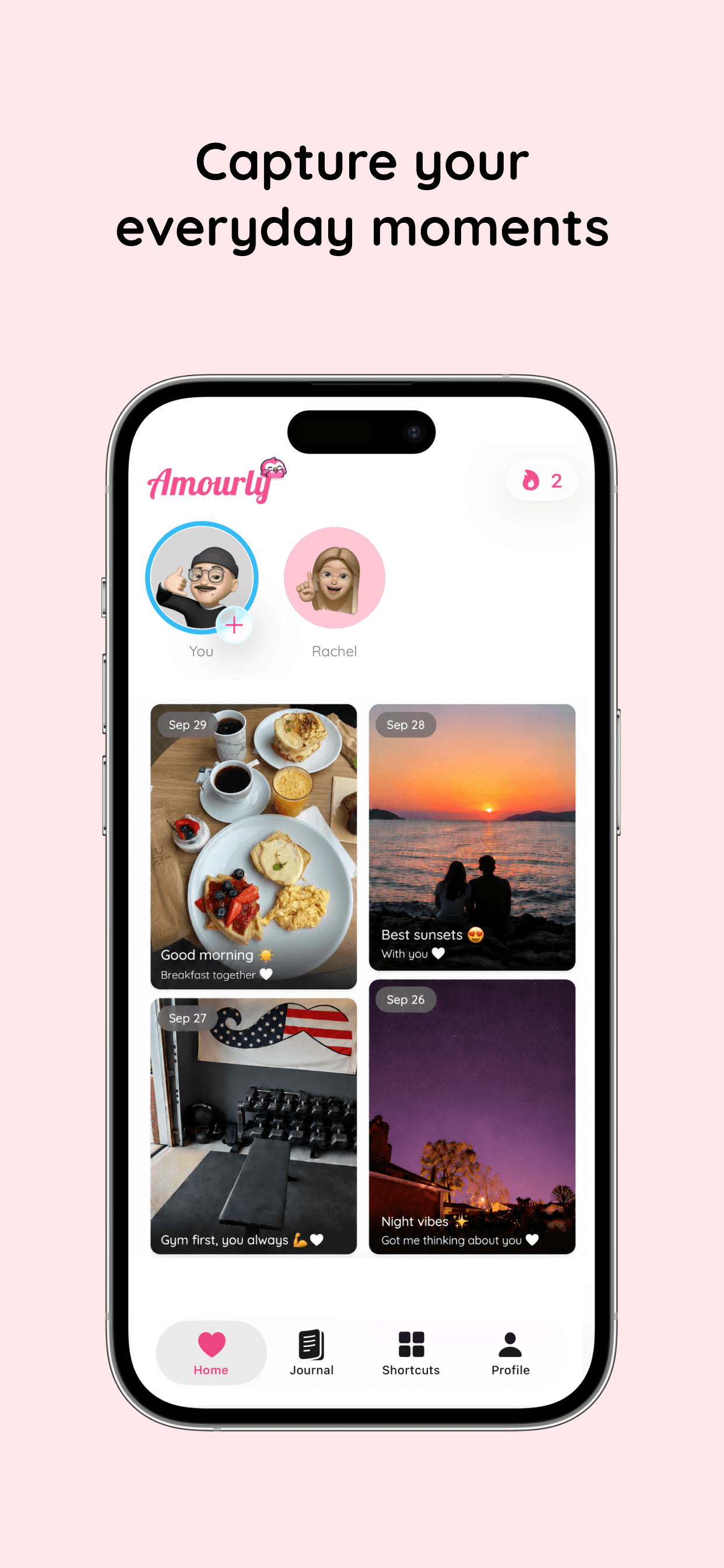
Your widget can show your partner's latest note, mood or drawing as well as their photo. You can send love taps, post 24-hour stories, keep special days with reminders and save memories with places to a shared map.

Should we use both?

Plenty of couples will: Locket for your friend group, Amourly for the two of you. They don't get in each other's way.

Inside Amourly

What it looks like on your iPhone.

01 / Widgets

Their note, on your Home Screen.

Add Amourly widgets to see your partner's latest note, mood, photo or drawing without opening anything. It feels less like checking an app and more like a glance at them.

Explore couple widgets
Amourly couple widgets on an iPhone Home Screen showing a love note and photo
02 / Stories

Share the ordinary parts of the day.

Post a photo or short video your partner can see for 24 hours: lunch, the commute, the dog doing something ridiculous. Small things, shared while they're still happening.

Everyday photo stories shared between partners in Amourly
03 / Special days

Never let a special day slip by.

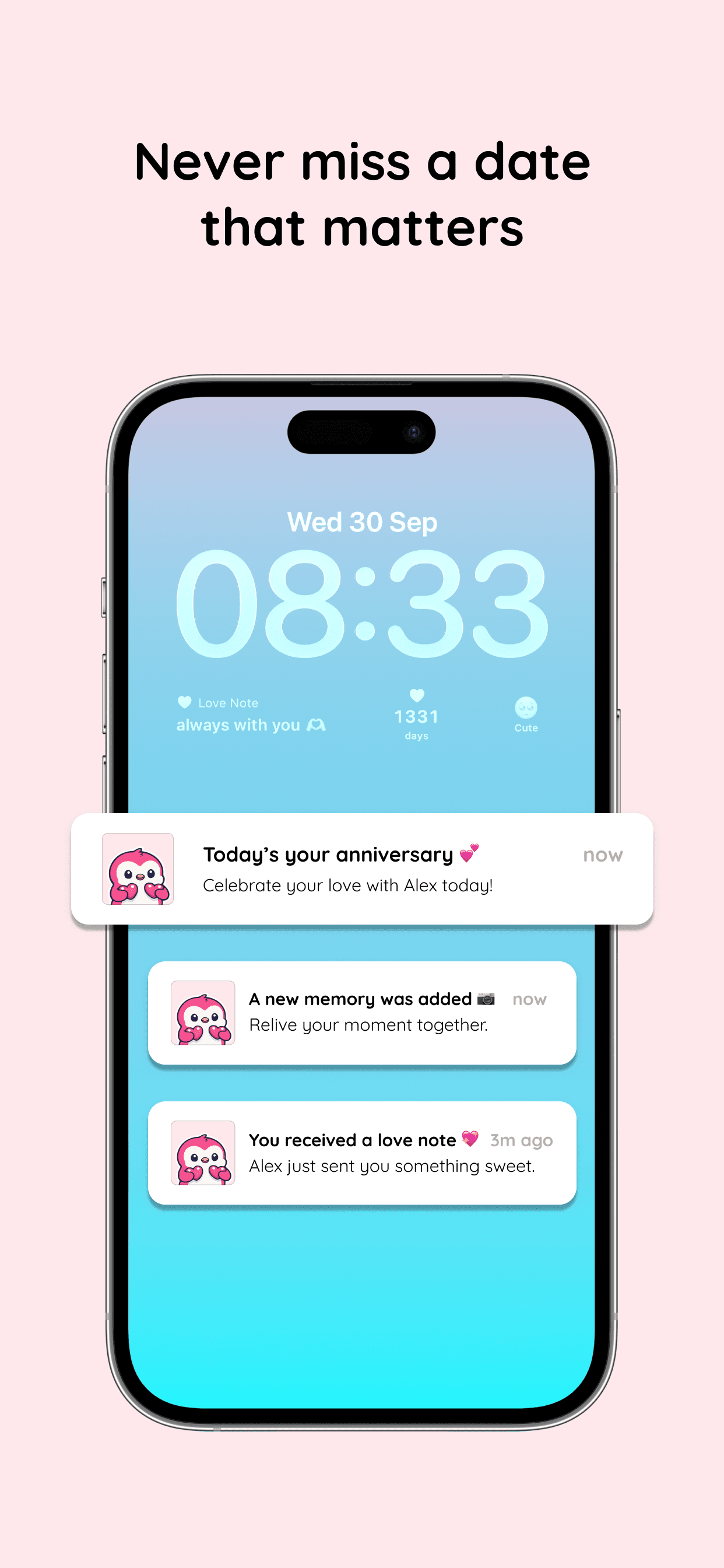
Save anniversaries, birthdays and trips. Amourly reminds you before they arrive and keeps count of your days together.

Anniversary reminders
Amourly anniversary reminder notification on an iPhone Lock Screen
Pricing

What each app costs.

Locket's core photo widget is free, and Locket Gold is an optional individual subscription.

Amourly is free to start. The photo widget (“Photo from us”) is part of Amourly Pro, which is $9.99/month or $44.99/year and covers both partners.

Amourly
Free to start. Amourly Pro is $9.99/month or $44.99/year. One Pro subscription unlocks Pro for both partners.
Locket
The core photo widget is free. Locket Gold is an optional subscription with several tiers. No — subscriptions are individual.
About Locket

What is Locket?

Locket started as a photo widget its founder built for his girlfriend and grew into one of the biggest social apps for close friends. You snap a photo and it appears on your friends' Home Screen widget; there's chat, reactions and a photo history.

Made by
Locket Labs, Inc. (Los Angeles)
Platforms
iPhone, Android
Focus
Live photos from close friends that appear right on your Home Screen widget.
Rating
4.8 from 579K+ US App Store ratings (checked October 15, 2026)
Best for
Anyone who wants to see quick photos from a few close people, partner included, on their Home Screen.
What people like
The simplest way to put someone's photos on your Home Screen. Huge, active user base.
Common complaints
Built for a circle of up to 20 friends rather than for couples. No couple features like notes, special days or a shared journal.
Common questions

Questions couples ask before choosing.

Quick, honest answers about Amourly vs Locket.

Is Locket good for couples?

It works well for sharing photos with your partner, but it isn't made for couples. For notes, moods, special days and shared memories, a couples app like Amourly is a better fit.

Does Amourly have a photo widget like Locket?

Yes. The “Photo from us” widget shows your partner's latest snap on your Home Screen. It's included with Amourly Pro.

Is Locket free?

Yes. The core photo widget is free, and Locket Gold is optional.

Can we use Amourly and Locket together?

Yes. Many people use Locket with friends and a couples app with their partner.

Does one Amourly subscription cover both partners?

Yes. When one partner subscribes to Amourly Pro, both partners get Pro. Pro is $9.99/month or $44.99/year on the US App Store.

Is Amourly available on Android?

Not yet. Amourly is currently available for iPhone only. Locket is available on iPhone and Android.

How we compared

Sources and method.

We compared each app's public App Store listing, official website, help pages, and published pricing, and read recent public reviews for recurring themes. Feature lists change often, so we re-check these pages regularly. Last checked .

  1. Locket on the US App Store
  2. TechCrunch: Locket raises $12.5M (2022)
  3. Amourly - Couples App on the App Store

Disclosure: this comparison is written by the team that makes Amourly. We've aimed to describe every app fairly, including where another app is the better fit. If something here is out of date, email support@amourly.app and we'll correct it.

Try it together

More than a photo. Still just as quick.

Download Amourly and send your partner a snap that lands right on their Home Screen.

Download on App Store